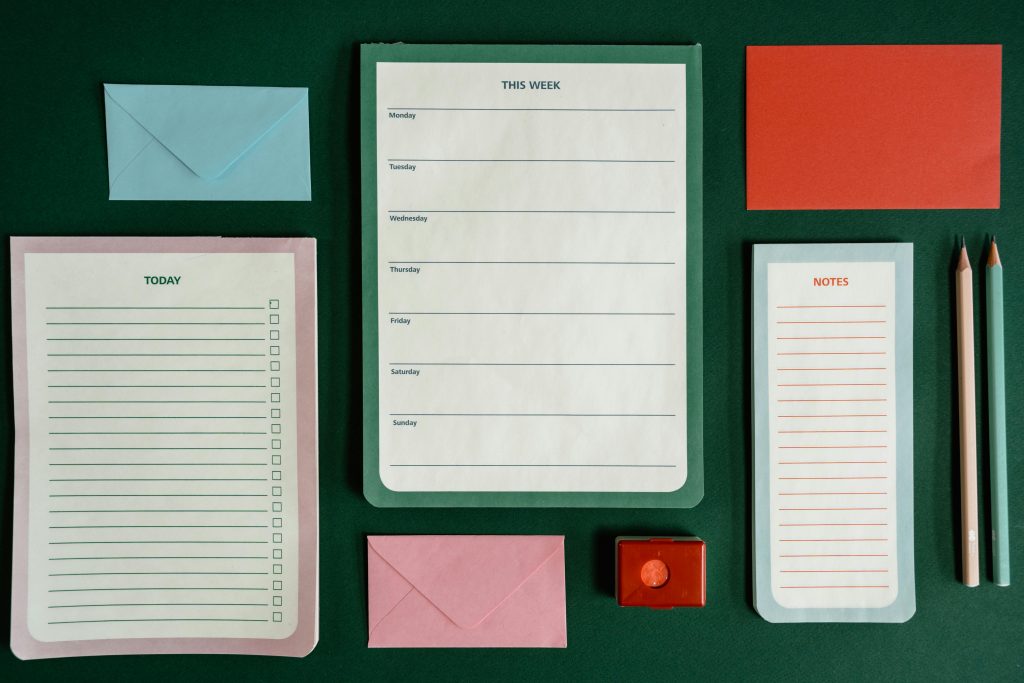
Simple Ways to Track Appointments, Forms, and Deadlines
A calm system for managing life admin without holding everything in your head
Why tracking life admin feels harder than it should
Appointments, forms, and deadlines are not difficult tasks on their own.
What makes them hard is that they arrive unpredictably, compete for attention, and carry consequences if forgotten.
You might be tracking some things in your head, some on your phone, some in emails, and some on loose pieces of paper. Nothing feels fully reliable, so you keep mentally checking everything “just in case.”
This constant background scanning is exhausting.
The goal of a tracking system is not perfection.
It is relief – knowing that things are recorded somewhere safe so your mind does not have to hold them all.
What you actually need (and what you don’t)
You do not need:
• A complex productivity app
• Colour-coded calendars with five layers
• Separate systems for every area of life
• Motivation or discipline
You do need:
• One trusted place to record things
• One simple way to check what’s coming up
• A habit of capturing information as soon as it appears
Simple systems work best when your mental load is already high.
A simple three-part tracking system
Every piece of life admin fits into one of three categories:
1. Appointments
Anything that happens at a specific date and time.
Examples:
• Medical or therapy appointments
• School meetings
• Trades, deliveries, inspections
• Phone calls you must be available for
2. Forms and paperwork
Anything that needs to be completed, returned, uploaded, or stored.
Examples:
• Consent forms
• Applications
• Renewal paperwork
• Requests for information
3. Deadlines
Anything that must be done by a certain date, even if it doesn’t happen at a specific time.
Examples:
• Returning forms
• Making payments
• Renewals
• Submitting documents
You do not need separate systems for each category, but you do need to label them clearly.
Option 1: One notebook system
This option works well if you prefer paper and visual clarity.
What you need
• One notebook (not multiple)
• A pen
• Sticky tabs or page markers (optional)
How to set it up
Divide the notebook into three sections:
• Appointments
• Forms
• Deadlines
Label the sections clearly.
How to use it
• Write appointments in date order
• Write forms as a short task list (what it is + what needs to happen)
• Write deadlines with the due date clearly visible
Example entry:
• “Return school medical form – due 18 March”
• “Follow-up appointment – Tuesday 10:30am”
Why this works
• Everything lives in one physical place
• You can see patterns and upcoming load
• No logging in, syncing, or remembering passwords
Option 2: One digital system
This option works well if you already rely on your phone.
What you need
• A calendar app
• A notes app or task list (built-in is fine)
How to set it up
Calendar
• All appointments go into the calendar immediately
• Include location or access details in the notes field
• Set at least one reminder
Task list or notes
• One list called “Forms & Deadlines”
• Each item includes:
• What it is
• What needs to happen
• The due date
Example:
• “Upload insurance documents – due 30 April”
Why this works
• You already carry it with you
• Reminders reduce mental checking
• Easy to update
Option 3: A light hybrid system
Many people naturally use both paper and digital tools.
A simple hybrid might look like:
• Calendar app for appointments
• One notebook page or note for forms and deadlines
The key is not balance – it is clarity.
Each type of information should have one default home.
How to capture things before they disappear
Most admin stress comes from not capturing information in the moment.
Forms get mentioned casually.
Appointments are booked verbally.
Deadlines are implied, not clearly stated.
Use a capture rule:
If it matters later, write it down immediately.
This might mean:
• Writing it while still on the phone
• Adding it before leaving the building
• Recording it before closing the email
You can organise it later.
Capturing comes first.
How to store documents so you can find them later
Tracking is only half the system.
Storage matters too.
Simple physical storage
• One folder or binder
• Sections labelled broadly (health, school, finance, other)
• Documents stored flat, not loose
Simple digital storage
• One main folder
• Subfolders by category
• File names that include:
• Name of document
• Year
Example:
• “Consent form – 2026”
You do not need perfect organisation.
You need retrievable organisation.
Weekly reset: the 20-minute check-in
A system only works if it is reviewed.
Once a week, spend 20 minutes doing the following:
• Check the coming week’s appointments
• Review forms in progress
• Scan upcoming deadlines
Ask yourself:
• Is anything missing?
• Is anything overdue?
• Is anything coming up that needs preparation?
This is not a productivity exercise.
It is a reassurance check.
Common sticking points (and gentle fixes)
“I forget to write things down”
Keep your capture tool visible and accessible.
One notebook. One app. One place.
“I feel behind, so I avoid looking”
Avoidance increases uncertainty.
A brief check is better than none.
“My system breaks when things get busy”
Busy periods are when simple systems matter most.
Reduce, don’t add.
“I have too many systems already”
Choose one to keep.
Let the others fade out naturally.
Real-life examples
Example 1: Multiple appointments in one week
All booked into the calendar with short notes.
One glance shows what’s coming and when rest is needed.
Example 2: A form that arrives unexpectedly
Written immediately into the “Forms & Deadlines” list with a due date.
No need to remember later.
Example 3: A vague deadline
Recorded as “Confirm by mid-June” with a reminder set earlier.
Clarity replaces guessing.
If you’re starting from behind
You do not need to catch up on everything at once.
Start with:
• What’s happening this week
• What’s due next
Older paperwork can wait.
Your system starts now, not when everything is perfect.
Reassurance and next steps
Tracking appointments, forms, and deadlines is not about control.
It is about reducing mental strain.
A simple, trusted system gives you:
• Fewer surprises
• Less background stress
• More space to focus on what matters
You are not failing because this feels hard.
Life admin is demanding, especially when layered with responsibility and care.
Choose one small step.
Set it up gently.
Let your system carry the weight – so you don’t have to.